
How to Use Google Maps Like a Local: Travel Planning Tips from a Level 8 Local Guide

Updated: Apr 15
Plan Smarter, Not Harder—Using the Most Powerful Free Travel Tool
Google Maps isn’t just for directions—it’s one of the most powerful travel planning tools available if you know how to use it correctly.
As a Level 8 Google Local Guide with over 385 reviews and millions of photo views, I’ve used Google Maps to discover hidden gems, plan efficient itineraries, and avoid tourist traps across the U.S., Europe, and Latin America.
In this guide, I’ll show you exactly how to use Google Maps like a local, so you can plan better trips, faster.

What Is a Google Local Guide (And Why It Matters for Travel)?
Google Local Guides are contributors who improve Google Maps by adding reviews, photos, and updates about real places.
But here’s why that matters for you:
Google Maps becomes more than navigation—it becomes a crowdsourced travel intelligence platform
Instead of relying on generic recommendations, you’re seeing:
Real photos (not staged marketing images)
Honest reviews
Up-to-date information
Why Google Maps Is One of the Best Travel Planning Tools
If you’re not using Google Maps strategically, you’re missing one of the biggest advantages in modern travel.
Here’s what it unlocks:
Discover Better Places
Find restaurants, cafes, and attractions based on real user data—not just top 10 lists.
Validate Before You Go
Check photos, reviews, and busy times before committing.
Build Your Own Itinerary
Save places into custom lists and organize your entire trip visually.
Navigate Efficiently
Reduce wasted time by clustering locations geographically.
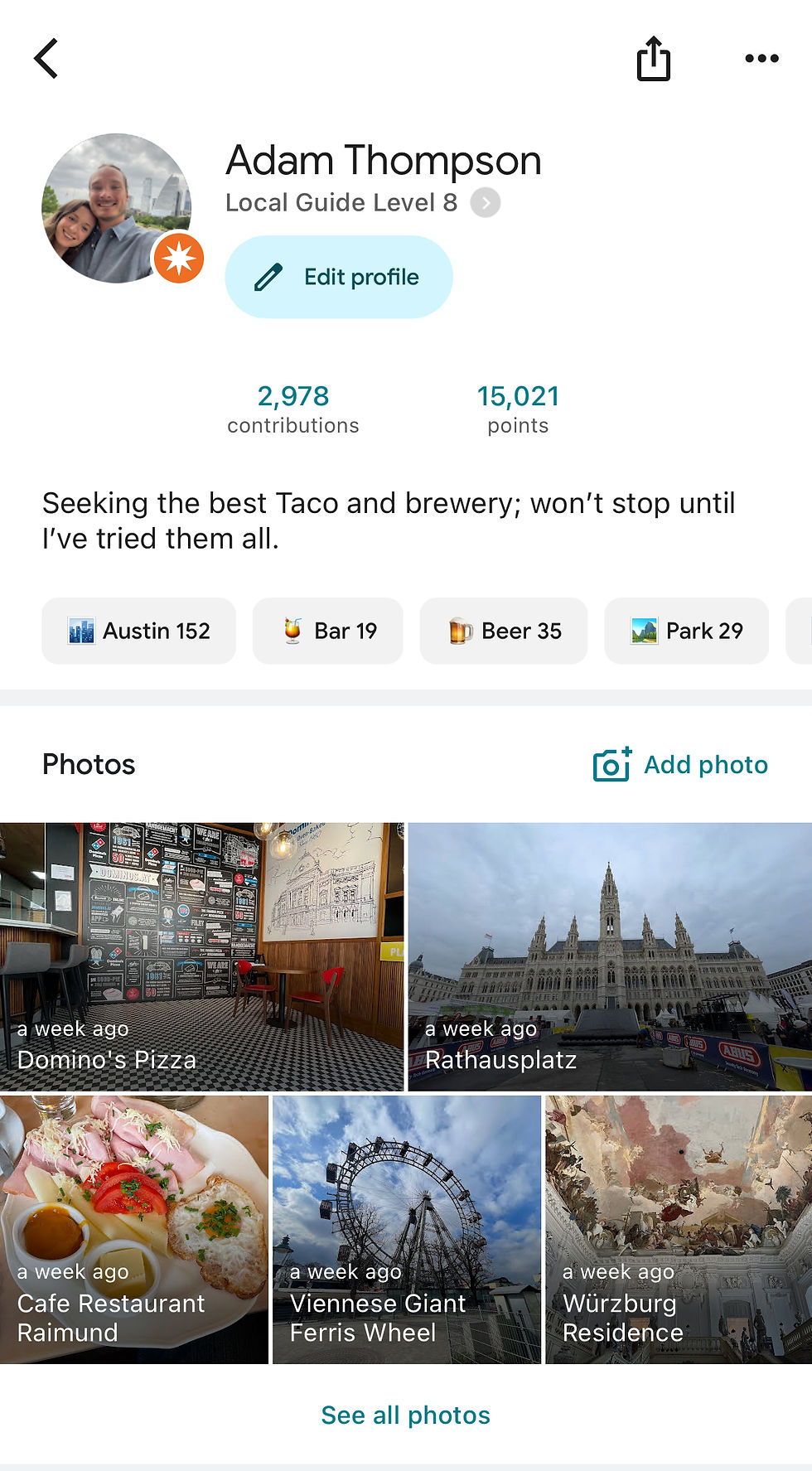
My Experience as a Level 8 Google Local Guide
I started contributing to Google Maps in 2017—initially just updating hours and adding photos while traveling.
Over time, it turned into something much bigger.
385+ reviews across multiple countries
Millions of views on uploaded photos
A top-performing image with over 10 million views
What started as a small habit became one of the most valuable tools in how I plan and experience travel today.

How to Use Google Maps for Travel Planning (Step-by-Step)
This is where most people underutilize Google Maps.
Here’s the exact system I use:
1. Create a Custom Map for Your Trip
Search your destination and start saving places you find interesting.
Create lists like:
Restaurants
Coffee shops
Attractions
Bars / nightlife

2. Save Everything You’re Considering
Don’t overthink it—save broadly at first.
This creates a visual map of options you can refine later.
3. Use Reviews to Filter
Once your list is built:
Remove low-quality spots
Prioritize highly rated, authentic experiences
4. Cluster Your Days Geographically
This is the biggest efficiency unlock.
Instead of bouncing across a city:
Group activities by area
Plan days based on location
👉 This alone can save hours every day
5. Download Offline Maps (Critical)
Before your trip:
Download your destination offline
This ensures:
Navigation without data
Backup access anywhere
Pro Tips Most Travelers Miss
Use the “Save” feature instead of screenshots
Check the “busy times” graph to avoid crowds
Look at recent reviews (not just overall rating)
Zoom in—some of the best spots don’t rank at the top
How This Fits Into a Smarter Travel System
Google Maps is just one piece of the puzzle.
When combined with:
Structured itineraries
AI planning tools
Curated recommendations
You can plan trips faster, cheaper, and more efficiently
Get My Travel Planning Tools (Free Download)
If you want to take this further, I’ve built a set of tools to help you plan your trips end-to-end:
Google Maps templates | AI travel planning prompts | Curated itinerary frameworks
👉 Access all tools here: Download Travel Tools & Guides
Plan Your Trip Smarter
Explore more guides to build your itinerary:


Comments